Sideway
output.to from Sideway
`-=[]โŸจโŸฉ\;',./~!@#$%^&*()_+{}|:"<>? ๐‘Ž๐‘๐‘๐‘‘๐‘’๐‘“๐‘”โ„Ž๐‘–๐‘—๐‘˜๐‘™๐‘š๐‘›๐‘œ๐‘๐‘ž๐‘Ÿ๐‘ ๐‘ก๐‘ข๐‘ฃ๐‘ค๐‘ฅ๐‘ฆ๐‘ง ร…โ€‰โˆ’โ€‚ร—โ€ƒโ‹…โˆ“ยฑโˆ˜๊žŠ๏นฆโˆ—โˆ™ โ„ฏ ๐”ธ๐”นโ„‚๐”ป๐”ผ๐”ฝ๐”พโ„๐•€๐•๐•‚๐•ƒ๐•„โ„•๐•†โ„™โ„šโ„๐•Š๐•‹๐•Œ๐•๐•Ž๐•๐•โ„ค๐ด๐ต๐ถ๐ท๐ธ๐น๐บ๐ป๐ผ๐ฝ๐พ๐ฟ๐‘€๐‘๐‘‚๐‘ƒ๐‘„๐‘…๐‘†๐‘‡๐‘ˆ๐‘‰๐‘Š๐‘‹๐‘Œ๐‘ โˆผโˆฝโˆพโ‰โ‰‚โ‰ƒโ‰„โ‰…โ‰†โ‰‡โ‰ˆโ‰‰โ‰Œโ‰โ‰ โ‰ก โ‰คโ‰ฅโ‰ฆโ‰งโ‰จโ‰ฉโ‰ชโ‰ซ โˆˆโˆ‰โˆŠโˆ‹โˆŒโˆ โŠ‚โŠƒโŠ„โŠ…โІโЇ ๐›ผ๐›ฝ๐›พ๐›ฟ๐œ€๐œ๐œ‚๐œƒ๐œ„๐œ…๐œ†๐œ‡๐œˆ๐œ‰๐œŠ๐œ‹๐œŒ๐œŽ๐œ๐œ๐œ‘๐œ’๐œ“๐œ” โˆ€โˆ‚โˆƒโˆ…โฆฐโˆ†โˆ‡โˆŽโˆžโˆโˆดโˆต โˆโˆโˆ‘โ‹€โ‹โ‹‚โ‹ƒ โˆงโˆจโˆฉโˆช โˆซโˆฌโˆญโˆฎโˆฏโˆฐโˆฑโˆฒโˆณ โˆฅโ‹ฎโ‹ฏโ‹ฐโ‹ฑ โ€– โ€ฒ โ€ณ โ€ด โ„ โ— สน สบ โ€ต โ€ถ โ€ท ๏น ๏น‚ ๏นƒ ๏น„ ๏ธน ๏ธบ ๏ธป ๏ธผ ๏ธ— ๏ธ˜ ๏ธฟ ๏น€ ๏ธฝ ๏ธพ ๏น‡ ๏นˆ ๏ธท ๏ธธ โœ   โ   โŽด  โŽต  โž   โŸ   โ    โก โ†โ†‘โ†’โ†“โ†คโ†ฆโ†ฅโ†งโ†”โ†•โ†–โ†—โ†˜โ†™โ–ฒโ–ผโ—€โ–ถโ†บโ†ปโŸฒโŸณ โ†ผโ†ฝโ†พโ†ฟโ‡€โ‡โ‡‚โ‡ƒโ‡„โ‡…โ‡†โ‡‡ โ‡โ‡‘โ‡’โ‡“โ‡”โ‡Œโ‡โ‡โ‡•โ‡–โ‡—โ‡˜โ‡™โ‡™โ‡ณโฅขโฅฃโฅคโฅฅโฅฆโฅงโฅจโฅฉโฅชโฅซโฅฌโฅญโฅฎโฅฏ
Draft for Information Only

Content

Time Management
โ€ƒdef wait(self, duration=DEFAULT_WAIT_TIME, stop_condition=None)
โ€ƒโ€ƒExample Scene.wait
โ€ƒโ€ƒโ€ƒCode Scene.wait
โ€ƒโ€ƒโ€ƒOutput Scene.wait
โ€ƒdef play(self, *args, **kwargs)
โ€ƒโ€ƒExample Scene.play
โ€ƒโ€ƒโ€ƒCode Scene.play
โ€ƒโ€ƒโ€ƒOutput Scene.play

Time Management

The time management functions of Scene object is to manipulation those time related activities of Scene object. The time management functions are
  • def wait(self, duration=DEFAULT_WAIT_TIME, stop_condition=None)
  • def play(self, *args, **kwargs)
  • def wait_until(self, stop_condition, max_time=60)
  • def increment_time(self, d_time)
  • def compile_play_args_to_animation_list(self, *args, **kwargs)
  • def update_skipping_status(self)
  • def begin_animations(self, animations)
  • def progress_through_animations(self, animations)
  • def finish_animations(self, animations)
  • def idle_stream(self)
  • def force_skipping(self)
  • def revert_to_original_skipping_status(self)
  • def add_frames(self, *frames)
  • def show_frame(self)

def wait(self, duration=DEFAULT_WAIT_TIME, stop_condition=None)

In general, wait function is used to define a time frame in Scene object.28Dec2019

Example Scene.wait

Example of Scene.wait.

Code Scene.wait

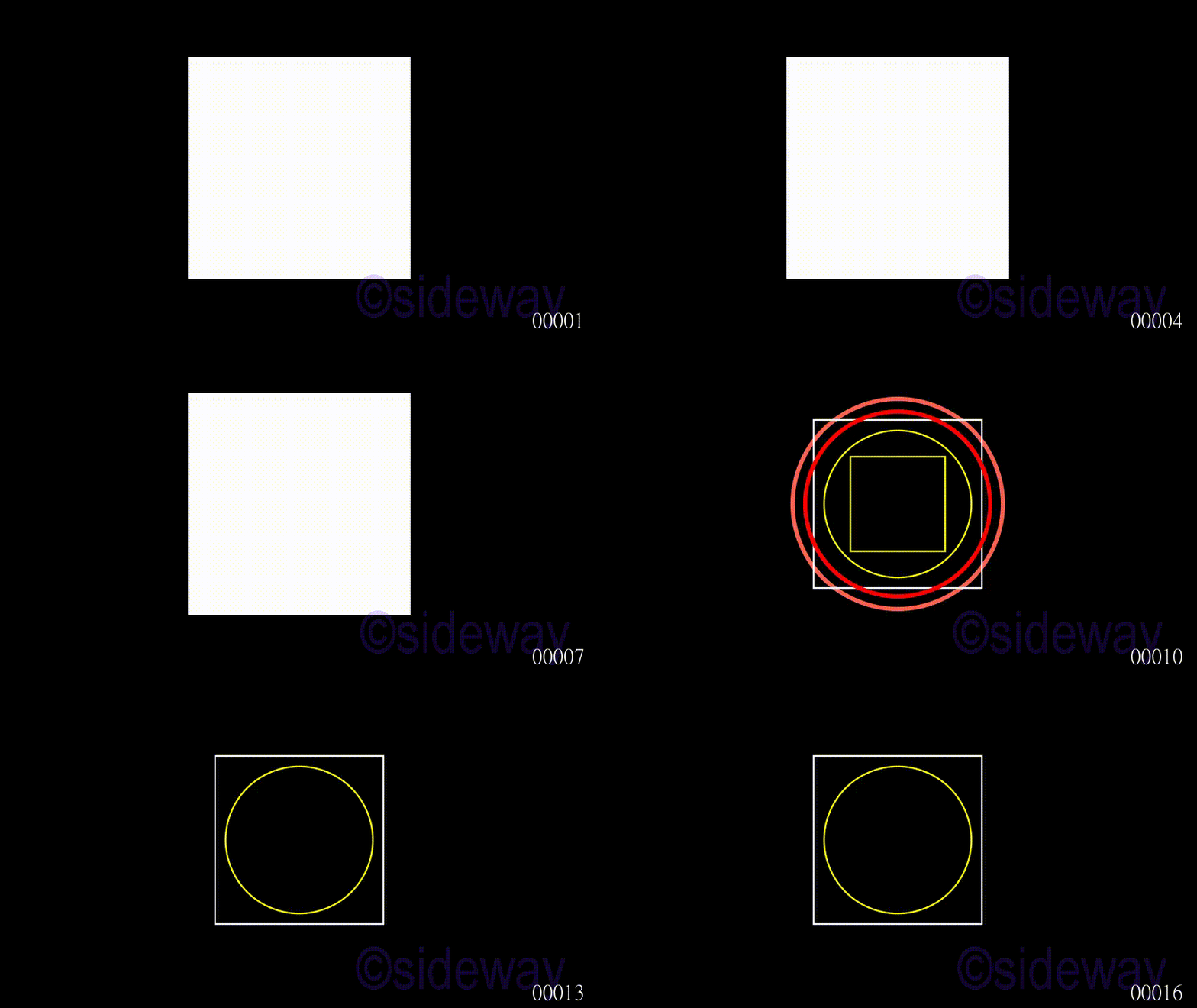
# folder/file: tut/manim_scene_wait_001a.py

from manimlib.scene.scene import Scene
from manimlib.mobject.geometry import Circle
from manimlib.mobject.geometry import Square
from manimlib.mobject.mobject import Mobject

class manim_scene_wait_001a(Scene): 
    def construct(self): 
        temp1=Circle(stroke_width=10,radius=2.5)
        temp2=Square(color="#FFFFFF",side_length=4)
        temp3=Circle(radius=2.2,color="#FF0000",stroke_width=10)
        temp4=Circle(color="#FFFF00",radius=1.75)
        temp5=Square(color="#FFFF00",side_length=2.25)
        temp6=Square(fill_opacity=1,side_length=5.25)
        dummy=Mobject().add(temp4,temp5)
        self.add_foreground_mobjects(temp6)
        self.wait(2)
        self.add(temp1,temp2,temp3,dummy)
        self.wait(2)
        self.remove(temp6)
        self.wait(2)
        self.remove(temp1,temp5,temp3)
        self.wait(2)

Output Scene.wait

image

def play(self, *args, **kwargs)

In general, play function is used to define a action time frame in Scene object.05Jan2020

Example Scene.play

Example of Scene.play.

Code Scene.play

# folder/file: tut/manim_scene_play_001a.py

from manimlib.scene.scene import Scene
from manimlib.mobject.geometry import Circle
from manimlib.mobject.geometry import Square
from manimlib.mobject.mobject import Mobject
from manimlib.animation.fading import FadeIn
from manimlib.animation.fading import FadeOut

class manim_scene_play_001a(Scene): 
    def construct(self): 
        temp1=Circle(stroke_width=10,radius=2.5)
        temp2=Square(color="#FFFFFF",side_length=4)
        temp3=Circle(radius=2.2,color="#FF0000",stroke_width=10)
        temp4=Circle(color="#FFFF00",radius=1.75)
        temp5=Square(color="#FFFF00",side_length=2.25)
        temp6=Square(fill_opacity=1,side_length=5.25)
        dummy=Mobject().add(temp4,temp5)
        dummy1=Mobject().add(temp1,temp2,temp3,dummy)
        dummy2=Mobject().add(temp1,temp5,temp3)
        self.add_foreground_mobjects(temp6)
        self.wait(2)
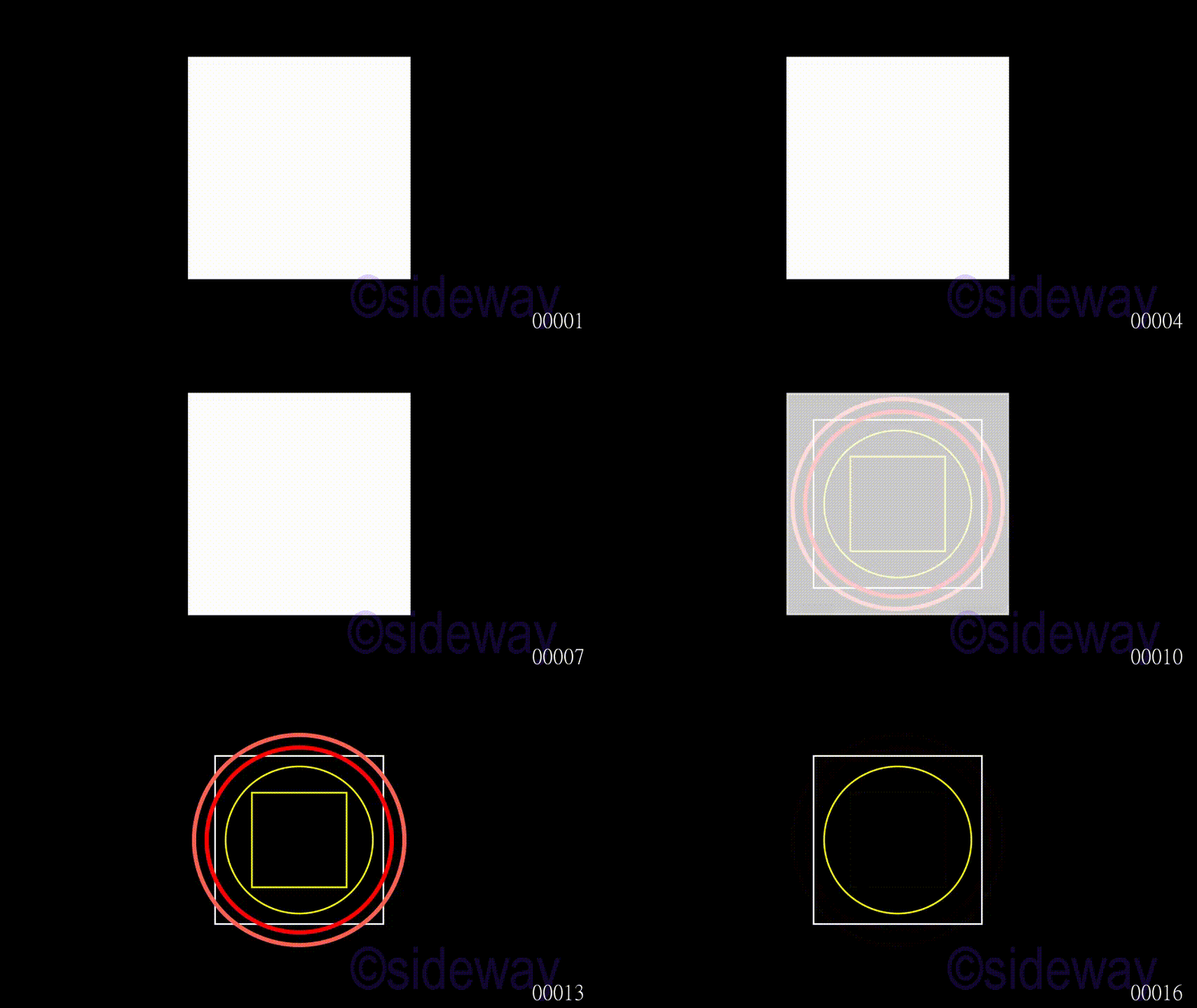
        self.play(FadeIn(dummy1),run_time=2)
        self.play(FadeOut(temp6),run_time=2)
        self.play(FadeOut(dummy2),run_time=2)

Output Scene.play

image

ยฉsideway

ID: 200401602 Last Updated: 4/16/2020 Revision: 0


Latest Updated LinksValid XHTML 1.0 Transitional Valid CSS!Nu Html Checker Firefox53 Chromena IExplorerna
IMAGE

Home 5

Business

Management

HBR 3

Information

Recreation

Hobbies 9

Culture

Chinese 1097

English 339

Travel 38

Reference 79

Hardware 55

Computer

Hardware 259

Software

Application 213

Digitization 37

Latex 52

Manim 205

KB 1

Numeric 19

Programming

Web 290new

Unicode 504

HTML 66new

Common Color 1new

Html Entity (Unicode) 1new

Html 401 Special 1

CSS 65new

Selector 1

SVG 46

ASP.NET 270

OS 447new

MS Windows

Windows10 1new

.NET Framework 1

DeskTop 7

Python 72

Knowledge

Mathematics

Formulas 8

Set 1

Logic 1

Algebra 84

Number Theory 207new

Trigonometry 31

Geometry 34

Coordinate Geometry 2

Calculus 67

Complex Analysis 21

Engineering

Tables 8

Mechanical

Mechanics 1

Rigid Bodies

Statics 92

Dynamics 37

Fluid 5

Fluid Kinematics 5

Control

Process Control 1

Acoustics 19

FiniteElement 2

Natural Sciences

Matter 1

Electric 27

Biology 1

Geography 1


Copyright © 2000-2026 Sideway . All rights reserved Disclaimers last modified on 06 September 2019