Geometry Curved Shape
The defined geometry
VMobject related to curved line in geometry.py
- Class AnnularSector(Arc)
- Class Sector(AnnularSector)
- Class Circle(Arc)
- Class Ellipse(Circle)
- Class Annulus(Circle)
- Class Dot(Circle)
- Class SmallDot(Dot)
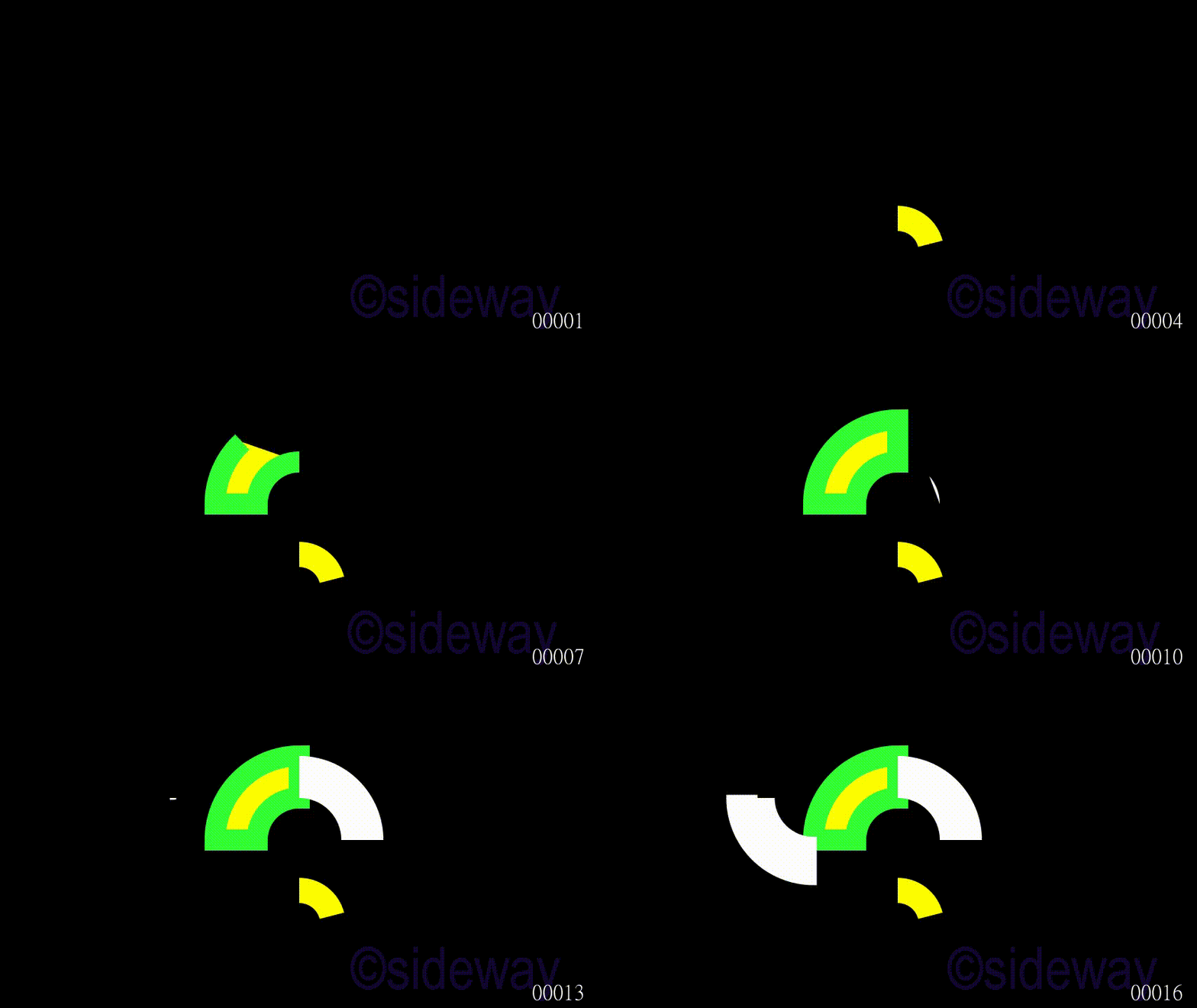
Class AnnularSector(Arc)
AnnularSector is used to generate an annular sector for given
outer_radius,
inner_radius.
Example
Code
# folder/file: tut/manim_mobject_annularsector_001a.py

from manimlib.scene.scene import Scene
from manimlib.mobject.geometry import AnnularSector
from manimlib.animation.creation import ShowCreation

class manim_mobject_annularsector_001a(Scene):
   def construct(self):
      poly = AnnularSector(outer_radius=1.1,inner_radius=0.5
      ,arc_center=(0,-2,0),start_angle=0.25,angle=1.3208,color="#33FF33",fill_color="#FFFF00",fill_opacity=1)
      self.play(ShowCreation(poly),run_time=2)
      self.play(ShowCreation(AnnularSector(arc_center=(0,0,0),start_angle=1.5708,stroke_width=50,color="#33FF33",fill_color="#FFFF00",fill_opacity=1)),run_time=2)
      self.play(ShowCreation(AnnularSector()),run_time=2)
      self.play(ShowCreation(AnnularSector(start_angle=3.1416,angle=1.5708,arc_center=(-2,1,0),stroke_width=15)),run_time=2)
Output
Class Sector(AnnularSector)
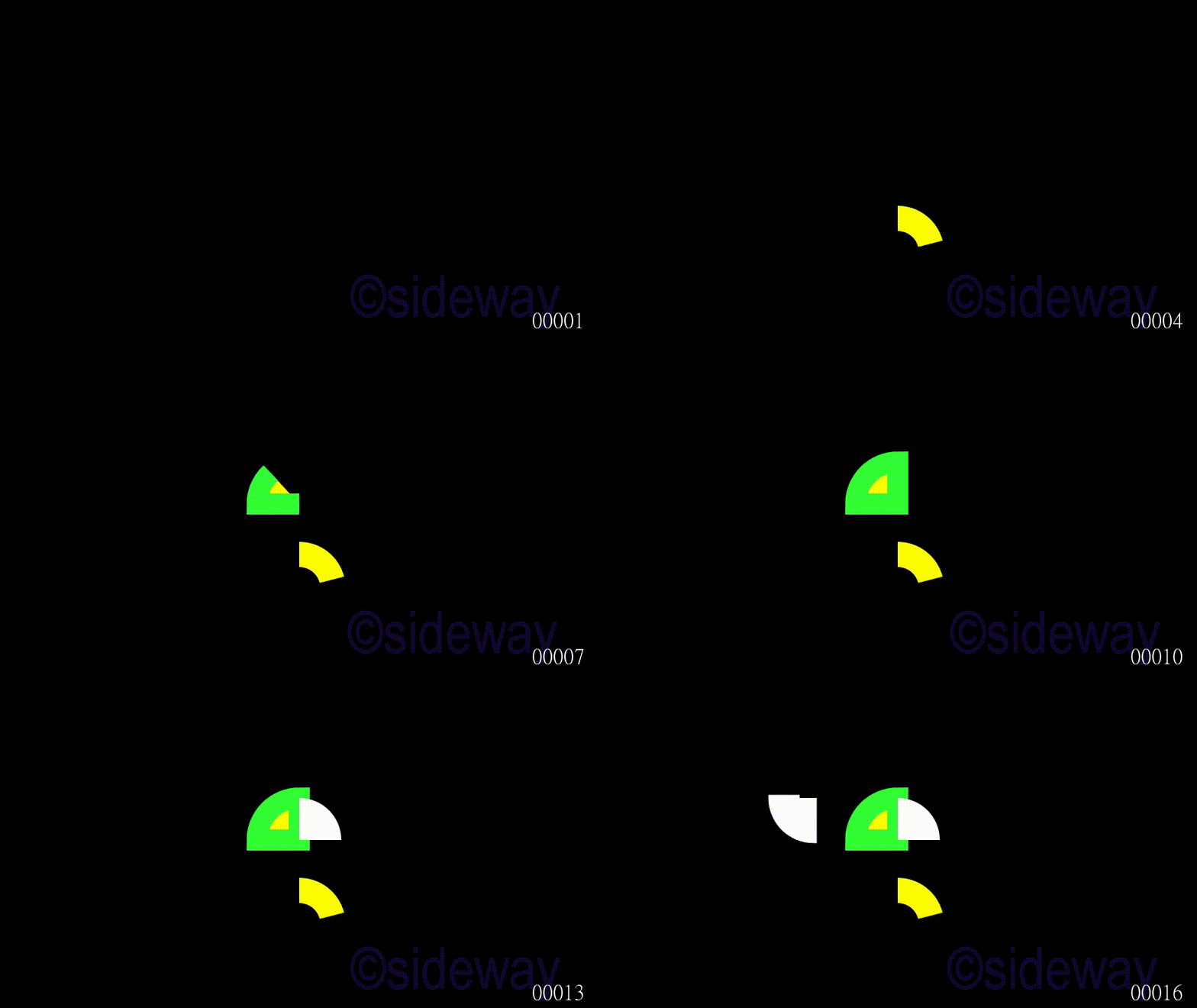
Sector is used to generate an annular sector for given
outer_radius.
Example
Code
# folder/file: tut/manim_mobject_sector_001a.py

from manimlib.scene.scene import Scene
from manimlib.mobject.geometry import Sector
from manimlib.animation.creation import ShowCreation

class manim_mobject_sector_001a(Scene):
   def construct(self):
      poly = Sector(outer_radius=1.1,inner_radius=0.5
      ,arc_center=(0,-2,0),start_angle=0.25,angle=1.3208,color="#33FF33",fill_color="#FFFF00",fill_opacity=1)
      self.play(ShowCreation(poly),run_time=2)
      self.play(ShowCreation(Sector(arc_center=(0,0,0),start_angle=1.5708,stroke_width=50,color="#33FF33",fill_color="#FFFF00",fill_opacity=1)),run_time=2)
      self.play(ShowCreation(Sector()),run_time=2)
      self.play(ShowCreation(Sector(start_angle=3.1416,angle=1.5708,arc_center=(-2,1,0),stroke_width=15)),run_time=2)
Output
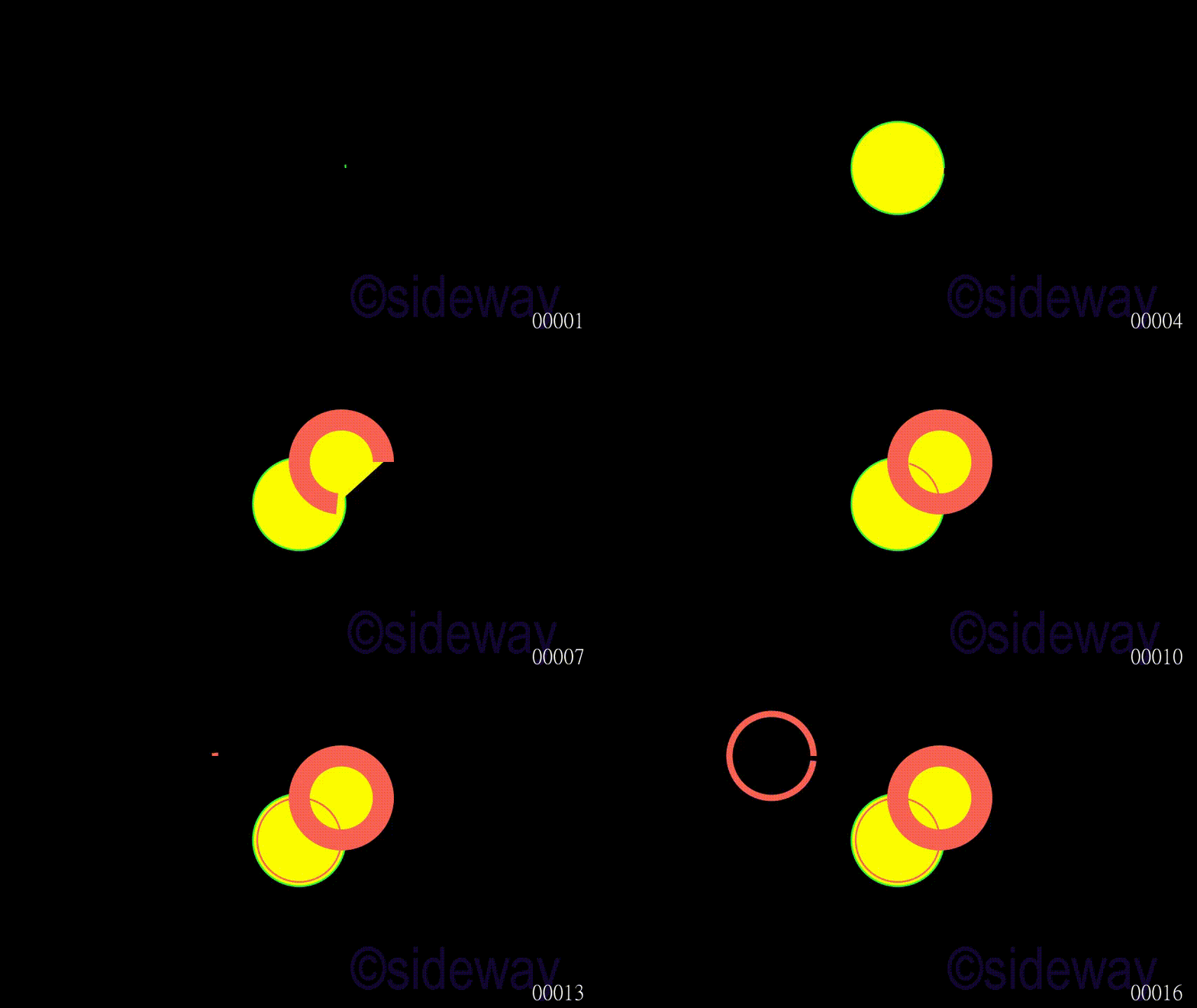
Class Circle(Arc)
Circle is used to generate a circle for given
arc_center, and
radius.
Example
Code
# folder/file: tut/manim_mobject_circle_001a.py

from manimlib.scene.scene import Scene
from manimlib.mobject.geometry import Circle
from manimlib.animation.creation import ShowCreation

class manim_mobject_circle_001a(Scene):
   def construct(self):
      poly = Circle(radius=1.1,arc_center=(0,0,0),color="#33FF33",fill_color="#FFFF00",fill_opacity=1)
      self.play(ShowCreation(poly),run_time=2)
      self.play(ShowCreation(Circle(arc_center=(1,1,0),stroke_width=50,fill_color="#FFFF00",fill_opacity=1)),run_time=2)
      self.play(ShowCreation(Circle()),run_time=2)
      self.play(ShowCreation(Circle(arc_center=(-3,2,0),stroke_width=15)),run_time=2)
Output
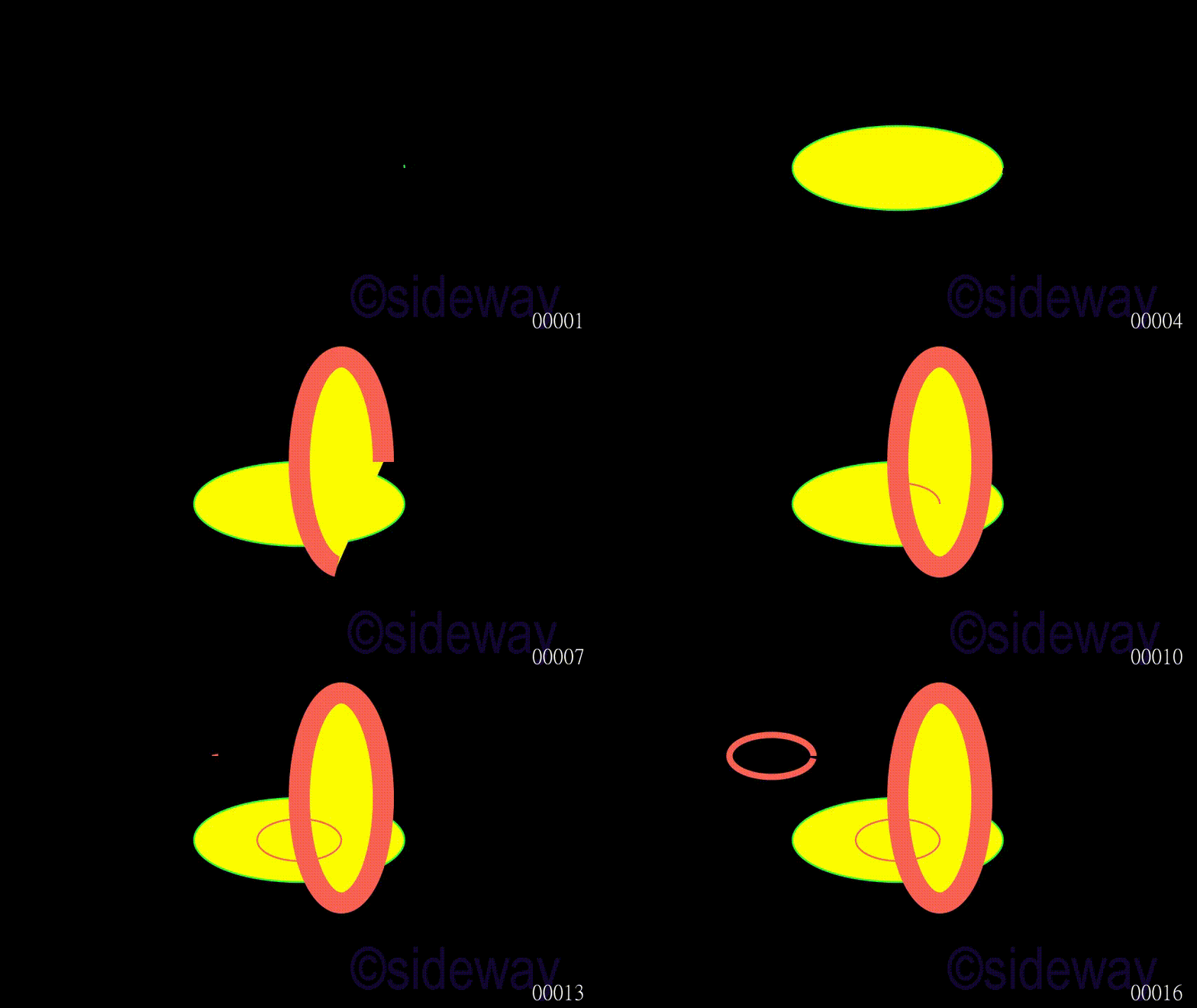
Class Ellipse(Circle)
Ellipse is used to generate an ellipse for given
width, and
height.
Example
Code
# folder/file: tut/manim_mobject_ellipse_001a.py

from manimlib.scene.scene import Scene
from manimlib.mobject.geometry import Ellipse
from manimlib.animation.creation import ShowCreation

class manim_mobject_ellipse_001a(Scene):
   def construct(self):
      poly = Ellipse(width=5,height=2,arc_center=(0,0,0),color="#33FF33",fill_color="#FFFF00",fill_opacity=1)
      self.play(ShowCreation(poly),run_time=2)
      self.play(ShowCreation(Ellipse(width=2,height=5,arc_center=(1,1,0),stroke_width=50,fill_color="#FFFF00",fill_opacity=1)),run_time=2)
      self.play(ShowCreation(Ellipse()),run_time=2)
      self.play(ShowCreation(Ellipse(arc_center=(-3,2,0),stroke_width=15)),run_time=2)
Output
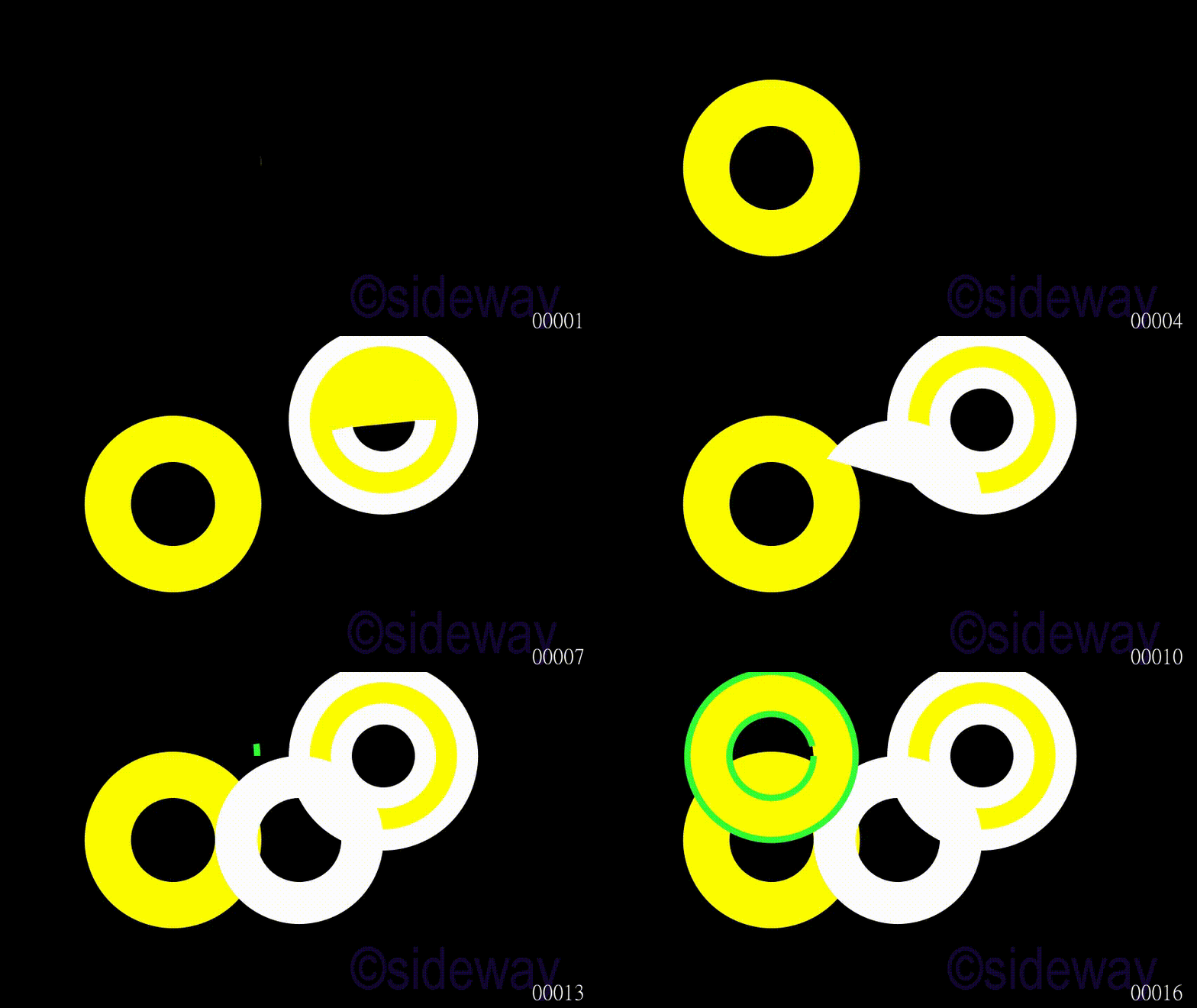
Class Annulus(Circle)
Annulus is used to generate an annulus for given
outer_radius,
inner_radius.
Example
Code
# folder/file: tut/manim_mobject_annulus_001a.py

from manimlib.scene.scene import Scene
from manimlib.mobject.geometry import Annulus
from manimlib.animation.creation import ShowCreation

class manim_mobject_annulus_001a(Scene):
   def construct(self):
      poly = Annulus(outer_radius=2.1,arc_center=(-3,0,0),color="#33FF33",fill_color="#FFFF00",fill_opacity=1)
      self.play(ShowCreation(poly),run_time=2)
      self.play(ShowCreation(Annulus(arc_center=(2,2,0),stroke_width=50,fill_color="#FFFF00",fill_opacity=1)),run_time=2)
      self.play(ShowCreation(Annulus()),run_time=2)
      self.play(ShowCreation(Annulus(arc_center=(-3,2,0),color="#33FF33",fill_color="#FFFF00",stroke_width=15)),run_time=2)
Output
Class Dot(Circle)
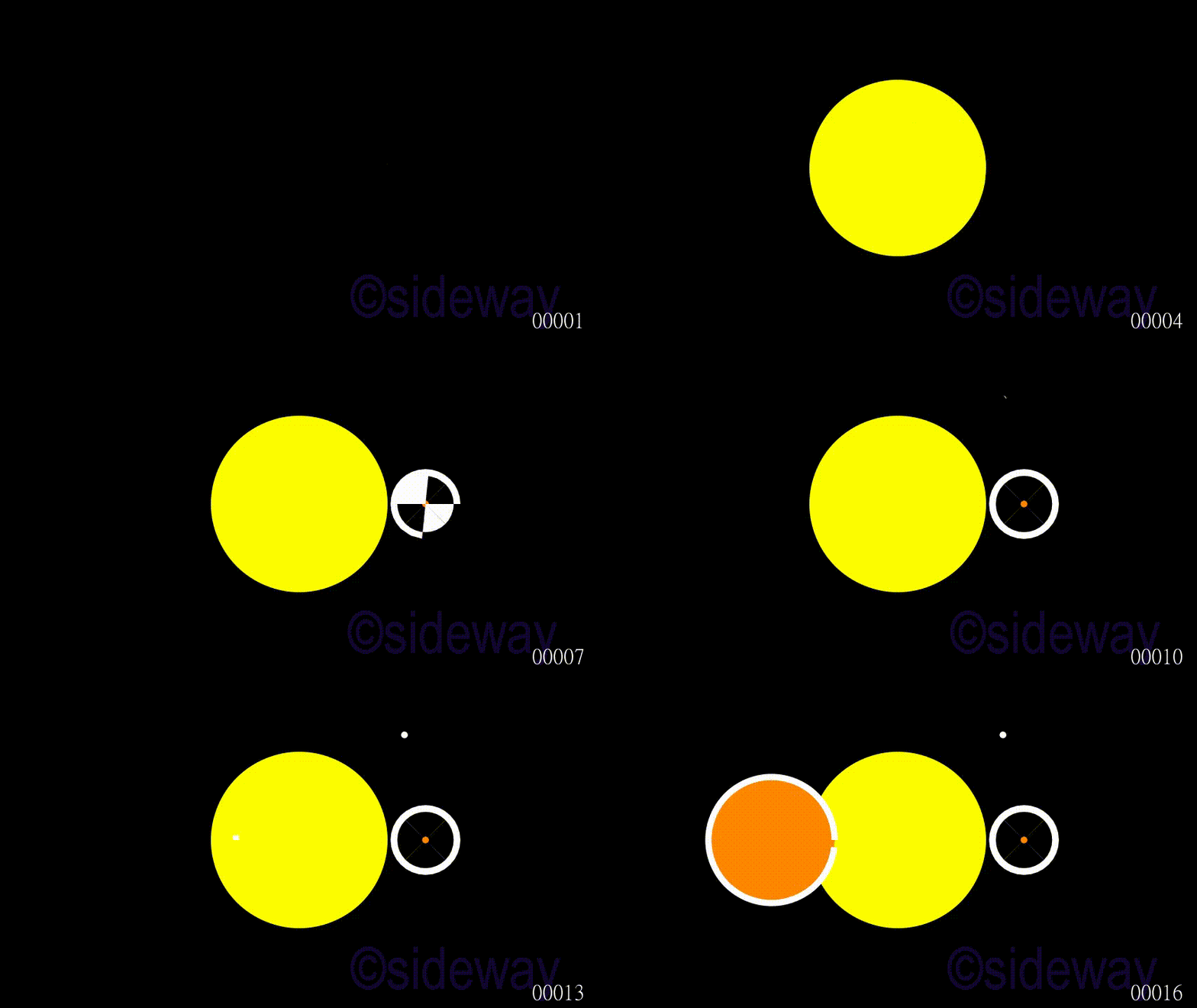
Dot is used to generate a dot for given
radius, and
color.
Example
Code
# folder/file: tut/manim_mobject_dot_001a.py

from manimlib.scene.scene import Scene
from manimlib.mobject.geometry import Dot
from manimlib.animation.creation import ShowCreation

class manim_mobject_dot_001a(Scene):
   def construct(self):
      poly = Dot(radius=2.1,color="#33FF33",fill_color="#FFFF00",fill_opacity=1)
      self.play(ShowCreation(poly),run_time=2)
      self.play(ShowCreation(Dot(stroke_width=150,fill_color="#FF8800",fill_opacity=1).shift([3,0,0])),run_time=2)
      self.play(ShowCreation(Dot().shift([2.5,2.5,0])),run_time=2)
      self.play(ShowCreation(Dot(radius=1.5,stroke_width=15,fill_color="#FF8800",fill_opacity=1).shift([-3,0,0])),run_time=2)
Output
Class SmallDot(Dot)
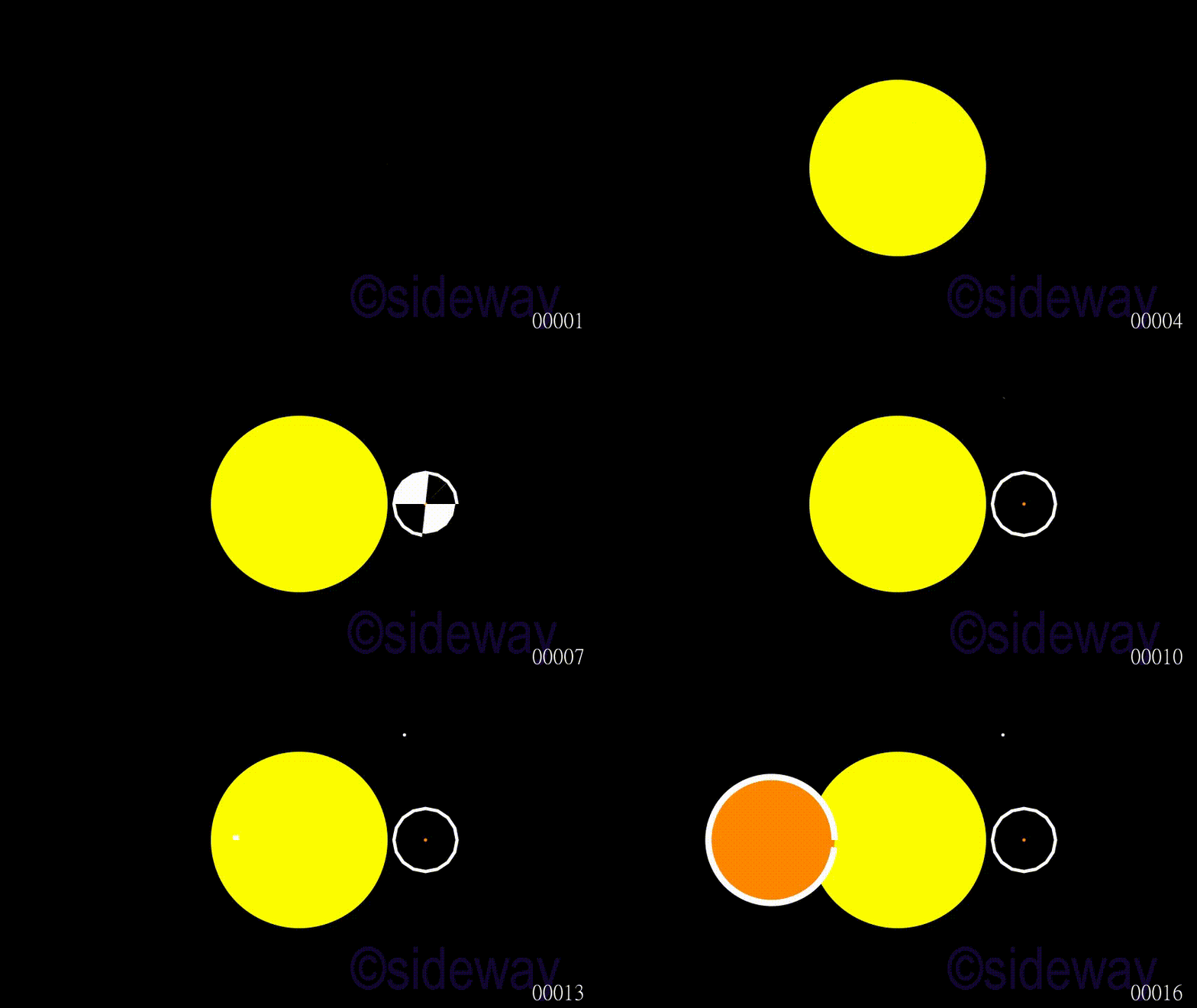
SmallDot is usually used to generate a small dot for given
color
Example
Code
# folder/file: tut/manim_mobject_smalldot_001a.py

from manimlib.scene.scene import Scene
from manimlib.mobject.geometry import SmallDot
from manimlib.animation.creation import ShowCreation

class manim_mobject_smalldot_001a(Scene):
   def construct(self):
      poly = SmallDot(radius=2.1,color="#33FF33",fill_color="#FFFF00",fill_opacity=1)
      self.play(ShowCreation(poly),run_time=2)
      self.play(ShowCreation(SmallDot(stroke_width=150,fill_color="#FF8800",fill_opacity=1).shift([3,0,0])),run_time=2)
      self.play(ShowCreation(SmallDot().shift([2.5,2.5,0])),run_time=2)
      self.play(ShowCreation(SmallDot(radius=1.5,stroke_width=15,fill_color="#FF8800",fill_opacity=1).shift([-3,0,0])),run_time=2)
Output


 Nu Html Checker
  53
53  na
na  na
na
